EZ QR

Best AI QR Code Generator - Custom Shapes & Styles

Customize the shapes of individual dots into custom hexagons, circles, or diamond matrices. High error-correction safety.

अपने QR कोड के केंद्र में एम्बेड करने के लिए अपनी कंपनी का लोगो (PNG, JPG, या SVG) अपलोड करें। चयन करने के बाद फिर से QR कोड जेनरेट करना सुनिश्चित करें।

Support on GitHub
AWAITING INPUT
स्कैन कर रहा है...
प्रोजेक्ट को सपोर्ट करें
100% मुफ्त
कोई समाप्ति नहीं
उच्च-रिज़ॉल्यूशन वेक्टर

Compare: Why EZ QR is the Best Choice

FeatureEZ QR Generator (Free)Paid Services (Uitly / Pro)
Price 100% Free ($0) $9.99 - $35.00 / mo
Account / Sign Up No Sign-Up Required Required for Downloads
QR Code Expiry Permanent (Never Expires) Expires after 14-day trial
High-Res SVG Vector Included Free Paid Add-on / Paywalled
Scan Limits Unlimited Scans Capped (e.g., 100/mo)
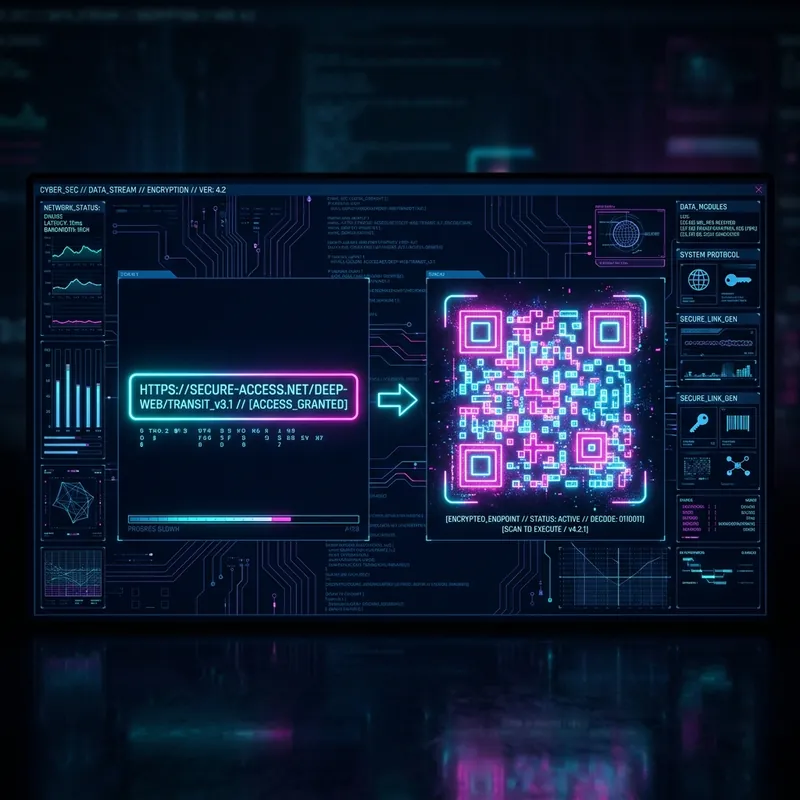
Cyberpunk interface showing a Best AI QR Code Generator - Custom Shapes & Styles
Best AI QR Code Generator - Custom Shapes & Styles

एक Best AI QR Code Generator - Custom Shapes & Styles क्या है और यह कैसे काम करता है?

एक Best AI QR Code Generator - Custom Shapes & Styles एक ऑनलाइन टूल है जो उपयोगकर्ताओं को तुरंत QR कोड बनाने की अनुमति देता है। यह विशिष्ट जानकारी को एक स्कैन करने योग्य बारकोड में एन्कोड करता है।

Best AI QR Code Generator - Custom Shapes & Styles का उपयोग करने के मुख्य लाभ

  • कोई लागत नहीं: बिना सदस्यता या छिपे शुल्क के असीमित QR कोड बनाएं।
  • त्वरित पहुँच: तुरंत कोड जेनरेट करें—किसी साइन-अप या सॉफ़्टवेयर इंस्टॉलेशन की आवश्यकता नहीं है।
  • उच्च संगतता: सभी उपकरणों और QR स्कैनिंग ऐप्स पर काम करता है।

एक Best AI QR Code Generator - Custom Shapes & Styles कैसे बनाएँ (कदम-दर-कदम)

  1. चरण 1: विवरण दर्ज करें: विशिष्ट प्रकार का QR कोड चुनें, आवश्यक जानकारी सावधानीपूर्वक दर्ज करें, और सटीकता के लिए दो बार जांचें।
  2. चरण 2: डिज़ाइन कस्टमाइज़ करें: अपनी कंपनी का लोगो अपलोड करें, एक कस्टम डॉट आकार चुनें, और सुनिश्चित करें कि कोड और पृष्ठभूमि के बीच उच्च कंट्रास्ट है।
  3. चरण 3: प्रारूप चुनें और डाउनलोड करें: डिजिटल साझाकरण के लिए PNG या उच्च गुणवत्ता वाले स्केलेबल प्रिंटिंग के लिए SVG चुनें। हमेशा वितरण से पहले अपने कोड का परीक्षण करें।

प्रिंटिंग और स्कैनिंग के लिए सर्वोत्तम अभ्यास

  • प्रिंट गुणवत्ता: पिक्सेलेशन के बिना आकार बदलने के लिए वेक्टर प्रारूप (SVG/EPS) का उपयोग करें।
  • सतह: सपाट, गैर-परावर्तक सामग्री पर प्रिंट करें।
  • प्लेसमेंट: आसान स्कैनिंग के लिए QR कोड को आंखों के स्तर पर रखें।
  • परीक्षण: बड़े पैमाने पर उत्पादन से पहले हमेशा कम से कम 3 अलग-अलग उपकरणों के साथ प्रिंट किए गए QR कोड का परीक्षण करें।

अक्सर पूछे जाने वाले प्रश्न

What are AI QR codes and custom shapes?
AI QR codes combine modern styling algorithms with custom shapes (like round dots, hexagons, and diamonds). They look premium and brand-aligned while remaining fully scannable.
Do custom shaped QR codes scan reliably?
Yes, because our generator uses **High Error Correction (Level H - 30%)**. This ensures that even with custom dot shapes, gradients, and central logos, the code is easily read by all devices.
Which is the best free AI QR code generator with no sign-up?
EZ QR is the best free generator. It lets you customize dot shapes, upload logos, select formats, and scan unlimited times without creating an account or paying fees.
Can I download my custom styled AI QR code in vector SVG?
Yes. Custom dot shapes (hexagons, diamonds, circles) are fully supported in our free SVG download format, allowing high-resolution print scaling.